1.7.0 - Multiple Files, Track Changes & Follow-up Questions
Summary
- Work across Excel files - reference other open Excel files using the @ syntax
- Merge files - let's you combine all .xlsx files from a folder into a single file
- Questions interface - let's the AI ask back questions in a more structured way
- Activity Log - log of changes made based on comparison with past versions of the file
Minor Changes
- Generate formulas on the UI language of excel
- Stricter requirements for assumption references - less hardcoded assumptions
- Ctrl+Shift+A returns focus to Excel when in X21 chat
- isActiveSheetEmpty flag and update related prompt - less waiting for read_values on empty sheets
- Bug: UI Stuck with "Finishing applying formating"
Work across multiple Excel files
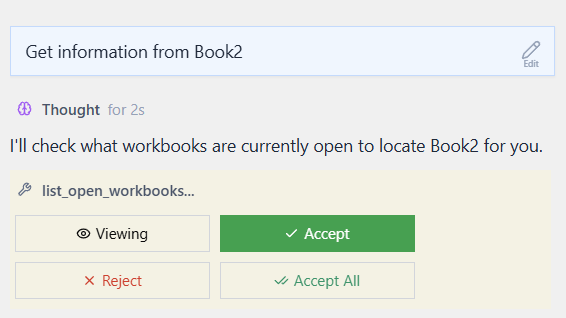
X21 can now work with all open Excel files. Simply prompt the LLM
Get the information from my OtherFile
X21 will then ask permission to list/access the other open files first.
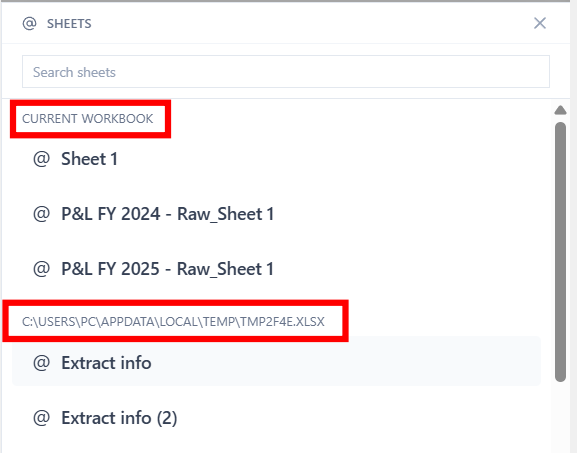
Alternatively you can reference open sheets from other files directly by typing @MySheet_FromOtherFile or select it from the list:
Support multiple files
Can it compare excel files? e.g. I download the quarterly series from other banks and notice that they cheat: they change previous data in new statements. Secretly hiding the error in reporting. Can it compare excelsheets? Uses it the excel functionality?
1
Merge multiple Excel files
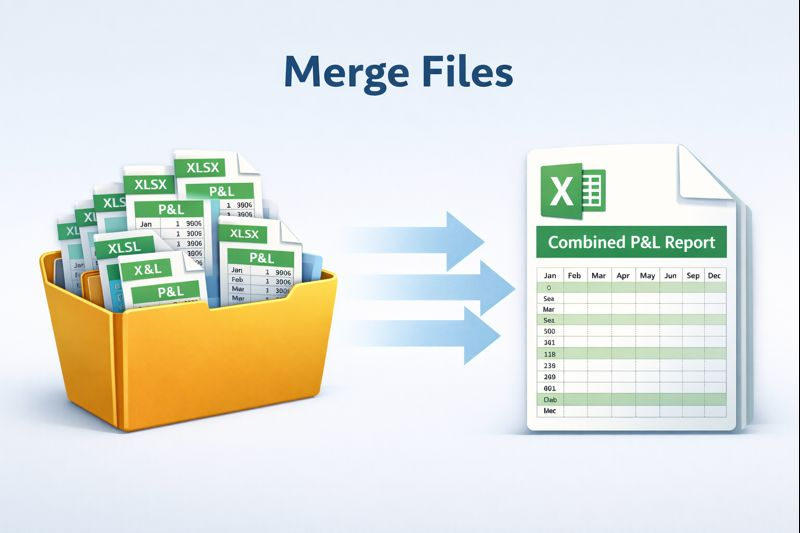
Say you received 12 individual files with monthly P&L data you can now ask X21
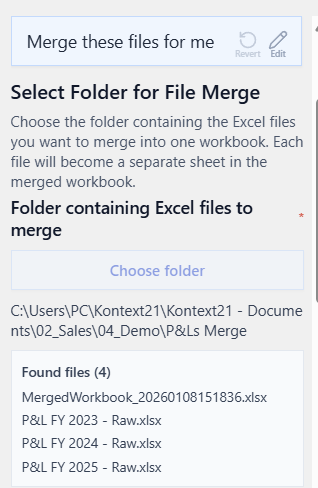
Merge these 12 files for me
Select the folder and receive a combination of all sheets in a single file.
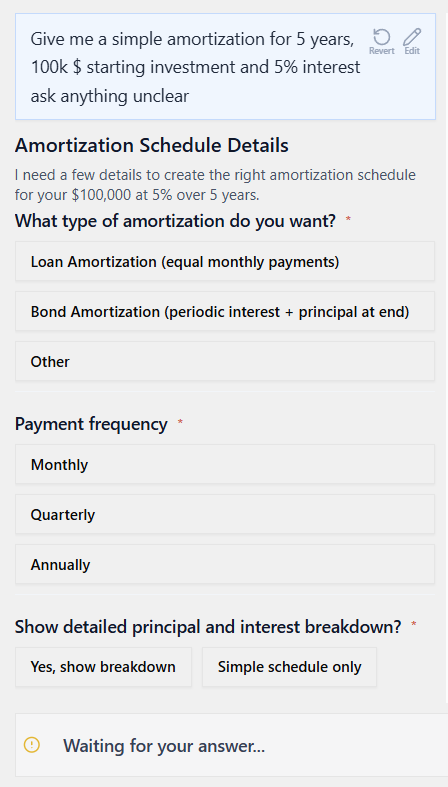
Follow-up questions interface
The AI can now collect more input from you and questions in a structured way by providing a form and answering options.
Prompt Generator
Allow my to define a prompt generator / expert that helps to ask good questions + write great prompt
0